
Wedding photographers
Send engagement and wedding-day albums so the couple can pick photos for the album and mark what needs retouching. You get a clear list instead of scattered messages.
Wedify’s proofing albums make picking photos with your clients smooth and professional. Every selection, comment and retouching request sits right on the photo instead of getting lost in messages.
Start free trial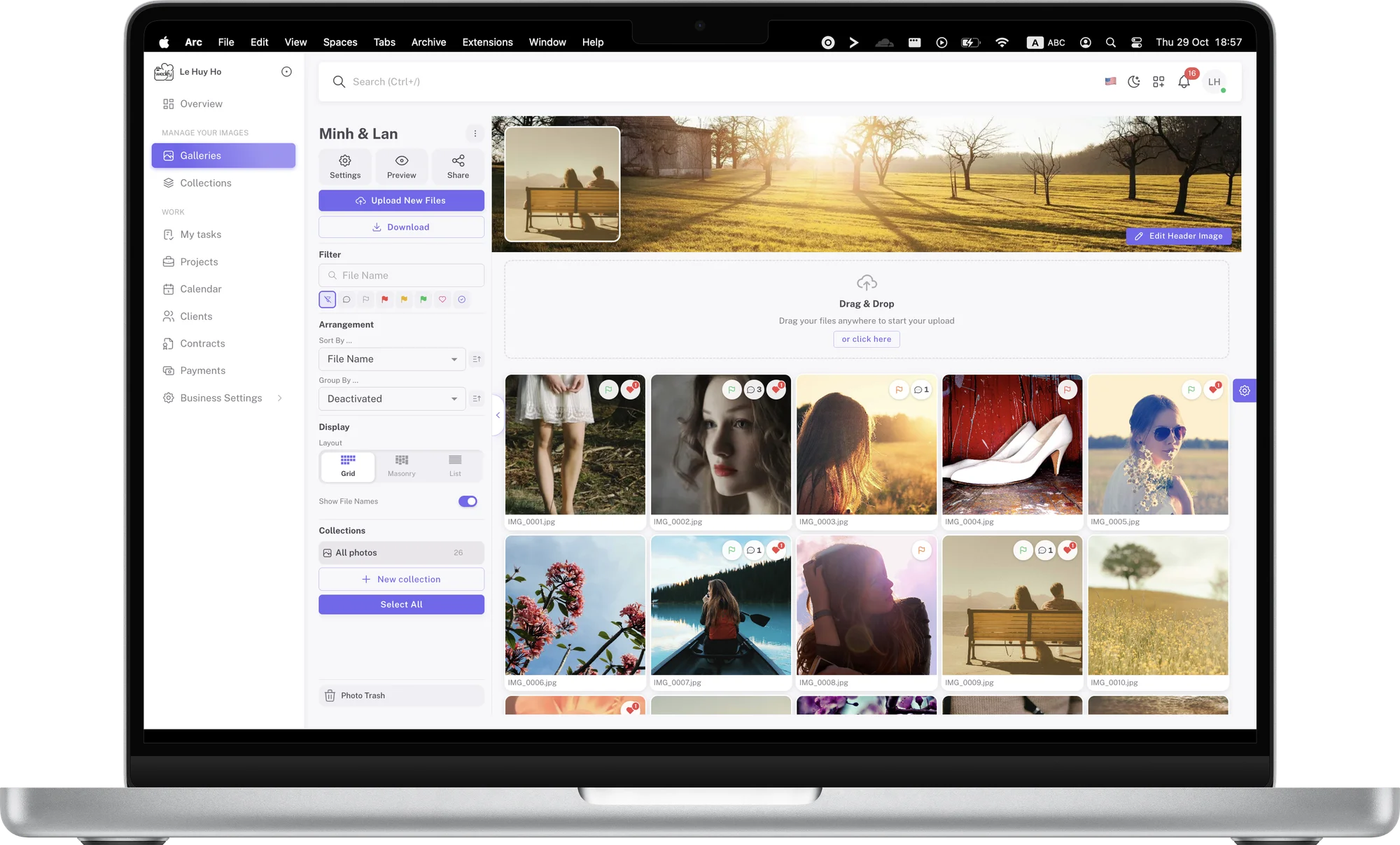
Anyone who needs clients to view, pick and comment on a set of photos.
Send engagement and wedding-day albums so the couple can pick photos for the album and mark what needs retouching. You get a clear list instead of scattered messages.
The whole team follows the client’s picks in the same album. Each member has their own role and permissions, so everyone knows what to do.
Get clear retouching requests through drawings and comments on each photo. Editors see exactly where to work and get it right the first time.
The whole family opens one link to view and pick their favorite shots, wherever each person is.
Organizers quickly pick the photos they need for communications right after the event, without waiting for files from several channels.
Agree on the final photos with the couple and the photographer in one shared album, without passing files back and forth.
Upload the whole shoot by dragging the photo folder into the album. Large files upload in parts and previews are created automatically, so the album is ready to send as soon as the upload finishes.
To make browsing easy, split the photos into collections such as Ceremony, Reception or Portraits. Clients then pick part by part instead of scrolling through thousands of photos in a row.
When the album is ready, copy the share link and send it to your client by email or message. Clients don’t need an account; they just open the link on their phone or computer.
For each album, you can set a password, an expiry date and choose which tools clients can use, such as color flags, comments or drawings. Include a deadline for picking so clients can plan their time.
Clients flag each photo Yes, Maybe or No, heart their favorites and leave comments. When something needs retouching, they circle it, frame it or draw freehand right on the photo.
Every response is tied to the right photo, so you understand exactly what the client wants. Retouching becomes more precise, and the number of revision rounds drops noticeably.
Each photo has its own timeline of comments and drawings, which can be edited or deleted when needed. Filter the photos with comments to work through requests one by one without missing any.
Once the client has finished, use Export selection to get a list of file names for Lightroom, Capture One and other apps, and start editing right away.
from$2.99/month
Wedify is built for wedding photographers and studios, with one focus: making it as easy as possible for clients to pick their photos.
Clients need no account or instructions: they open the link, tap a flag, heart a photo and they are done. The simple interface works for everyone, including older relatives.
Picks and feedback reach you as soon as clients send them, with notifications that open the right photo. You start editing sooner and deliver faster.
Choose the layout, cover image and header image, and turn each tool on or off per album. A proofing album can be completely different from one for relatives.
Color flags, hearts, comments and drawings help clients express exactly what they want. You no longer have to guess from vague descriptions.
Passwords, expiry dates, private albums and signing out all guests keep albums safe. Only the people you allow can see the photos.
Clients proof comfortably on a computer, tablet or phone. The layout adapts to every screen, and picking works well with touch.
Photo proofing is the step where clients review all the photos from a shoot, pick their favorites and request retouching before the photographer edits and delivers. It is a key part of every wedding package, because it decides which photos are edited, printed in the album and kept for years.
Traditionally, photographers send files via a cloud drive or USB, and clients reply with a list of file numbers and describe what to fix in words. With online proofing, clients pick and comment right in the album, every response is tied to the right photo and you see the results immediately. That means fewer mix-ups and faster delivery.
Depending on the tools you turn on, clients can flag photos Yes, Maybe or No, heart them, comment and draw notes on the photos. They can also sort, group and filter photos to review their picks. If you allow it, clients can also upload reference images to the same album.
Filter the album by color flag or by hearts to see everything the client picked. Then use Export selection to get a list of file names formatted for Lightroom Classic, Capture One, Photo Mesh, Finder or File Explorer. Paste the list into your software and all of the client’s picks are filtered in seconds.
Any questions? We’re happy to help at support@wedify.art.